The DAWproject Format: A New Era of Cross-DAW Compatibility
Origins and development
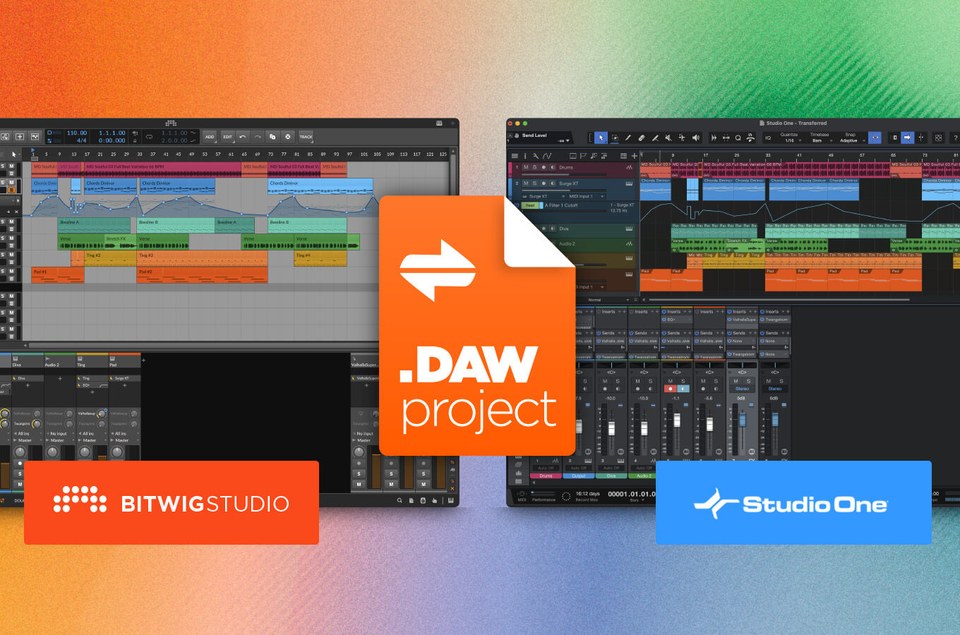
In September 2023, Bitwig and PreSonus jointly announced DAWproject (.dawproject), a free, open-source, DAW-agnostic file format designed to solve one of the music industry's oldest problems: transferring complete project sessions between different Digital Audio Workstations. The initiative was spearheaded by Bitwig, which had previously led the 2022 launch of the CLAP plugin standard in collaboration with u-he.
The format is an XML-based container that packages all translatable project data into a single file. It was originally implemented in Java and is maintained on GitHub at bitwig/dawproject. The specification is open, meaning any developer can implement it in their own software. Bitwig also publishes a DAWproject FAQ covering what the container holds, which plugin formats survive the trip, and the known gaps between individual DAWs.
What problem does it solve?
Before DAWproject, moving a project between DAWs meant one of several painful options:
- Exporting audio stems — time-consuming, loses all structure, automation, and plugin settings
- Standard MIDI files — only carry note data at a low level (no ramps or expression), forcing consolidation on export
- AAF/OMF — designed for post-production; AAF covers audio only with no concept of musical time, limiting it to video/post workflows
- Third-party converters like Pro Convert — expensive, unreliable, and limited in scope
DAWproject addresses all of these by carrying the full project structure in one file.
The predecessors are worth naming, because this is the third serious attempt at the problem. OMF (Open Media Framework, later OMFI) came out of Avid in the early 1990s and was the first format to move edited audio and video between otherwise incompatible systems. AAF followed around the turn of the 2000s with richer metadata, and it is still the normal hand-off from picture editorial to audio post. Tascam's OpenTL did the same job for hardware multitrack recorders like the MX-2424. All three move media and edit points between systems. None of them carry tempo, time signature, mixer state or plugin state — the musical structure of the session — which is exactly the gap DAWproject fills.
What a .dawproject file contains
A DAWproject file packages the following data:
- Audio: clips, fades, crossfades, amplitude, panning, time-warping, transposition
- MIDI/notes: note data with expression (including MPE pitch information)
- Automation: parameter and state automation for all tracks and channels
- Structure: tracks, channels, groups, folders, tempo, time signature
- Mixer: fader levels, pan, sends, routing
- Plugins: full state for VST2, VST3, AU and CLAP plugins
- Audio files: embedded or referenced
The format is designed to be extensible — if an importing DAW doesn't support a particular feature, it gracefully ignores that data rather than failing.
Adoption timeline
- Sept 2023 — Bitwig Studio 5.0.9
- Sept 2023 — PreSonus Studio One 6.5 Professional
- Nov 2024 — Steinberg Cubase 14
- Nov 2024 — Steinberg Cubasis 3.7.1
- Nov 2024 — Steinberg VST Live 2.2
- Early 2025 — Steinberg Nuendo 14
- 2025 — n-Track Studio 10.2.2
- May 2025 — Fender Studio (free, mobile/desktop)
- 2026 — Fender Studio Pro (rebranded Studio One)
Steinberg's adoption in late 2024 was the pivotal moment — it brought the format into the post-production world via Nuendo and made cross-DAW exchange between the two most common studio DAWs (Cubase and Studio One) a reality.
Advantages
- No more stem-bouncing — one file replaces dozens of audio exports
- Preserves plugin state — a major failing of all previous interchange formats
- Open and free — no licensing fees, no vendor lock-in
- Graceful degradation — works even when DAWs have different feature sets
- Collaboration — composers and producers on different DAWs can share sessions directly
- Mobile-to-desktop workflow — Cubasis on iPad → Cubase on desktop, or Fender Studio on phone → Studio One on PC
How to open a .dawproject file in each DAW
- Bitwig Studio (5.0.9+): File → Open, or simply drag and drop the .dawproject file into the DAW window
- PreSonus Studio One (6.5 Professional+): File → Open, or drag and drop
- Steinberg Cubase (14+): create a new empty project, then File → Import → DAWproject, and browse to the file
- Steinberg Nuendo (14+): same as Cubase — File → Import → DAWproject
- Steinberg Cubasis (3.7.1+): open in the desktop DAW (Cubase, Bitwig, Studio One)
- Steinberg VST Live (2.2+): DAWproject is available as an import option within the application
- n-Track Studio (10.2.2+): available through the file menu as a standard import format
- Fender Studio (free): export only — Fender Studio cannot import DAWproject files from other DAWs
- Fender Studio Pro (2026): File → Open, or drag and drop (same workflow as Studio One, since it is the rebranded Studio One Pro)
How to save (export) a .dawproject file in each DAW
Bitwig Studio (5.0.9+)
- Go to File → Export DAWproject…
- In the save dialog, set the desired name and location.
- Click Save. All project data, audio, MIDI, and plugin states are packaged into a single .dawproject file.
- Tip: use File → Collect All and Save first if your project references external audio files, so everything is bundled into the project folder before exporting.
PreSonus Studio One (6.5 Professional+)
- Go to File → Convert To → DAWproject File…
- Choose a name and destination folder.
- Click Save.
- Note: DAWproject export is exclusive to Studio One Professional and Studio One+ editions. It is not available in the Artist or Prime tiers.
Steinberg Cubase (14+)
- Go to File → Export → DAWproject.
- In the File Explorer (Windows) or Finder (macOS) dialog, specify a name and location.
- Click Save. The exported file includes all audio, MIDI, video, and plugin data.
Steinberg Nuendo (14+)
- Go to File → Export → DAWproject.
- Specify a name and location in the file dialog.
- Click Save. (Identical workflow to Cubase, as they share the same project engine.)
Steinberg Cubasis (3.7.1+)
- Tap the Media button to open the MediaBay.
- Tap the Projects folder.
- Select the project you want to export.
- Tap the Share button.
- Tap the DAWproject button (icon with two opposing arrows).
- Select a target location in the system share dialog (AirDrop, Files, cloud drive, etc.).
- Note: after export, the original .dawproject file is moved to the Trash folder in Cubasis. All tracks, plugins, and audio files are packed into the single file.
Steinberg VST Live (2.2+)
- Use the File menu to access the DAWproject export option.
- Choose a name and save location.
n-Track Studio (10.2.2+)
- Access the File menu.
- Select the DAWproject export option.
- Choose a name and destination.
Fender Studio (free)
- Select a session.
- Choose Export and select DAWproject as the format.
- Save the file to a cloud drive or transfer it to your desktop.
- Note: Fender Studio is export-only — it cannot import .dawproject files from other DAWs.
Fender Studio Pro (2026)
- Go to File → Convert To → DAWproject File… (same workflow as Studio One, since it is the rebranded Studio One Pro).
- Choose a name and destination.
- Click Save.
Known limitations and caveats
- Plugin availability matters — if the target machine doesn't have the same third-party plugins installed, those slots will be empty
- Not all data transfers perfectly — some users report issues with folder structures, automation, or sample rate mismatches when moving between certain DAW pairs
- Video tracks are not supported (e.g. Studio One video tracks don't carry over to Bitwig)
- Plugin coverage varies by DAW pair — the container carries VST2, VST3, AU and CLAP state, but not every DAW reads every plugin type written by every other. Bitwig, for instance, does not read AU or CLAP plugin data written by Studio One
- File size: a .dawproject file can be significantly larger than a native project file because it embeds all audio and plugin state data into a single ZIP container
- Not a backup format: DAWproject is designed for exchange, not archival. For backups, use each DAW's native project save/backup features
Bitwig keeps a running list of the specific cross-DAW gaps — which plugin data survives, what Studio One and Bitwig each decline to read from the other — in their DAWproject FAQ. Check it before you rely on a particular feature making the journey.
Who doesn't support it (yet)
- Logic Pro — no native support, active feature requests on Apple forums
- Ableton Live — no native support, community requests ongoing
- Pro Tools — no native support from Avid
- FL Studio — no native support from Image-Line
- Cakewalk Sonar / Cakewalk Next — no support; BandLab prefers their own Cakewalk Interchange Format (CXF)
The bigger picture
DAWproject represents a shift in the DAW industry from closed, proprietary ecosystems toward interoperability. With Bitwig, PreSonus/Fender, Steinberg, and n-Track all on board, the format covers a significant portion of the professional and prosumer market. The open specification means that any DAW — including the currently absent major players — can adopt it at any time without licensing negotiations. Whether Apple, Ableton, or Avid will join remains to be seen, but the momentum is clearly building.
Sessions from before .dawproject
For sessions that were created before the .dawproject standard they will need to have their audio and midi files exported with the original software that was used to create it. If you no longer have access to that software or the current version cannot open your older session file, please contact us.
That is a large part of what we do: converting obsolete DAW, sequencer and notation files into formats that open in a modern DAW — including Cubase VST sessions, damaged or unopenable Pro Tools sessions, and projects stranded on 90s and 2000s hardware multitrack recorders. If the audio itself is still on tape, start with our tape transfer services.
Frequently Asked Questions
Which DAWs can open a .dawproject file?
Bitwig Studio 5.0.9, PreSonus Studio One 6.5 Professional, Steinberg Cubase 14, Nuendo 14, Cubasis 3.7.1, VST Live 2.2, n-Track Studio 10.2.2 and Fender Studio Pro can all import DAWproject files. Fender Studio (the free version) can export them but not import them. Logic Pro, Ableton Live, Pro Tools and FL Studio have no native support.
Does DAWproject keep my plugin settings?
Yes — the container carries full plugin state and parameter automation for VST2, VST3, AU and CLAP plugins. Two caveats: the receiving machine needs the same plugins installed or those slots come up empty, and not every DAW reads every plugin type written by every other.
Can I move a Pro Tools or Logic session with DAWproject?
No. Neither Avid nor Apple supports the format, so a Pro Tools or Logic session cannot be exported as a .dawproject file. Moving those sessions still means stems, MIDI files, or a conversion service — we handle Pro Tools session repair and conversion directly.
What does not survive a DAWproject transfer?
Video tracks are not supported — Studio One video tracks do not carry over to Bitwig, for example. Some users also report folder structures, automation, or sample rates behaving differently between particular DAW pairs, and any plugin the receiving machine does not have installed will come up empty.
Is DAWproject a backup format?
No. It is designed for exchange, not archival. A .dawproject file is also usually larger than a native project file, because it packs all audio and plugin state into a single ZIP container. For backups, use your DAW's own project save and backup features.
Is DAWproject the same thing as AAF or OMF?
No. OMF and AAF were built for picture-locked post-production: they move media and edit points between systems but have no concept of musical time. DAWproject carries tempo, time signature, mixer state and plugin state — the musical structure of the session — which those formats never did.
What about sessions made before DAWproject existed?
They have to be exported from the software that created them, which is a problem if that software is gone or will no longer open the file. That is the work we do: converting obsolete DAW and sequencer sessions into formats a modern DAW can open. Contact us with what you have.